Private voice input for Mac
Hold to talk. Let go, and you get clean text.
Speak naturally and get polished text at your cursor. Speech is recognized on your Mac, and with Ollama, AI tidying happens there too.
You sayUm so I wanted to ask, like, what's the uh rate limit for this API
Pasted at your cursorI wanted to ask what the rate limit for this API is.
How it works
Three steps, in any app.
Hold the shortcut
Option + Command, in any text field.
Speak naturally
Pause, correct yourself, think out loud.
Let go
Clean text appears right at your cursor.
What you say stays on your Mac
Your voice is always recognized on your Mac. When you want AI tidying, pick a local model and nothing goes online.
Speech recognition
Always on your MacThe SenseVoice model runs on your Mac. Recordings are never uploaded.
AI tidying
Your choiceWith Ollama, LM Studio, or Apple Intelligence, your text stays on your Mac too. With a cloud service, only the recognized text is sent.
Everything else
Nothing collectedNo account and no tracking in the app. Dictation history is kept on your Mac for 30 days, and you can turn that off.
Keep AI tidying on your Mac too
Run a local model with Ollama or LM Studio and Tidytalk never needs the internet to clean up your words.
- Choose Ollama, LM Studio, Cloud, or Apple Intelligence in one click
- No API key, and nothing sent over the internet
- Prefer the cloud? DeepSeek, OpenAI, or any compatible API works too


It learns the words you use
Names, products, and jargon are what speech recognition gets wrong. Teach Tidytalk once.
- Common words fix similar-sounding mistakes
- Replacements always correct the same slip
- Snippets turn a short phrase into your email or address

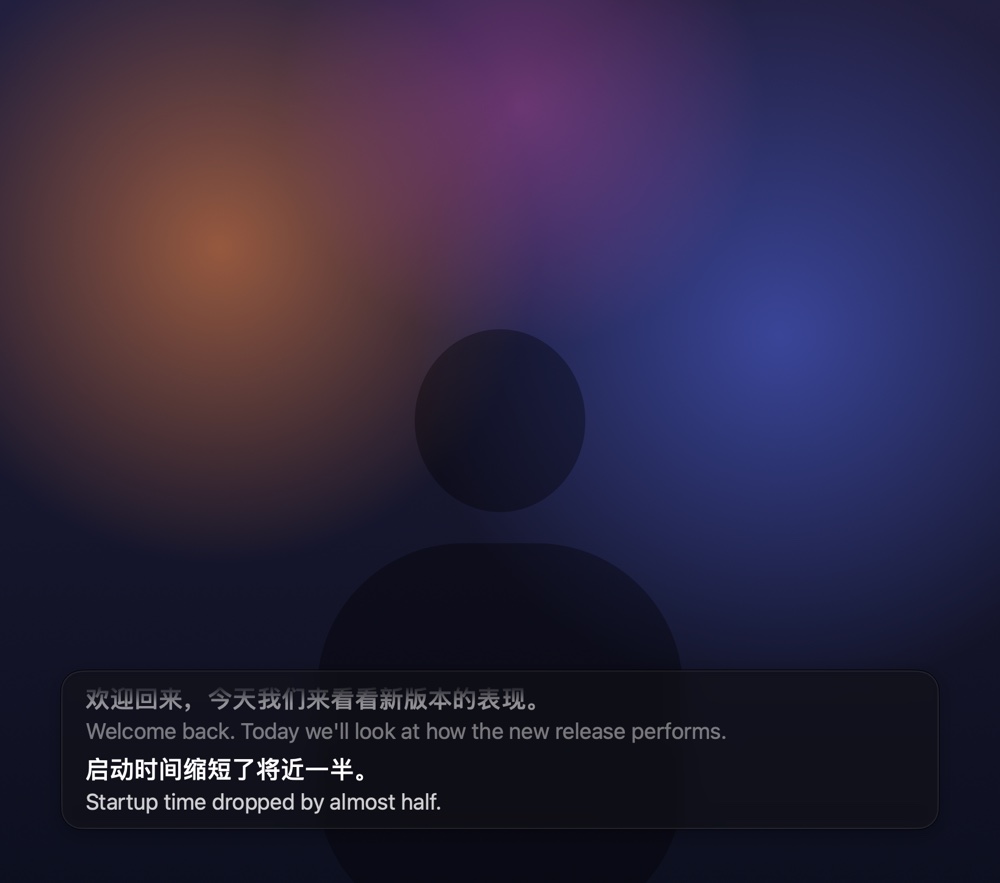
Live captions for what your Mac plays
Press ⌃⌥C to caption a video, a lecture, or a meeting. The audio is recognized on your Mac, just like your voice.
- Listen to all audio, or just one app
- Translate as you listen, shown under the original
- Press ⌃⌥V to paste what was just said
- Transcribe audio, video files, and links too
Turn recordings and videos into text
Drop in a meeting recording, a lecture, or a video, or paste a YouTube or Bilibili link. Tidytalk transcribes it on your Mac.
- A timestamp for every sentence
- Export as text, SRT subtitles, or Markdown
- Audio and covers from links stay on your Mac until you delete them

Pick the speech model that fits
SenseVoice is small and fast. When you need more accuracy or more languages, switch models in one click. Every model runs on your Mac.
- Qwen3-ASR recognizes names and terms from your vocabulary
- Whisper Turbo covers about 99 languages
- Or use the speech recognition built into macOS

Why Tidytalk
Small, private, and yours to change.
Works offline
With a local model, Tidytalk works without an internet connection.
Free and open source
MIT licensed. No account and no word limits.
Tidies, never invents
Removes fillers and slips without summarizing or adding.
Speak one language, write another
Translate into 8 languages as you dictate.
Rewrite with your voice
Select text, hold Right Option, and say what to change.
Leaves your clipboard alone
Whatever you copied is restored after pasting.
Made for the way you work
For developers
Prompts, commit messages, and code comments.
Dictate and translate
Speak Chinese, paste English.
Private and offline
Keep your voice and your text on your Mac.
Transcribe recordings
Meetings, lectures, and videos to text.
Comparing options? See Tidytalk vs Wispr Flow, Superwhisper, and macOS Dictation.
Questions
Is Tidytalk free?
Yes. Tidytalk is free and open source under the MIT License. If you tidy text with a cloud AI service such as DeepSeek or OpenAI, you use your own API key and the provider bills you. With a local model in Ollama or LM Studio, or with tidying off, it costs nothing.
Does it need an internet connection?
Speech recognition needs it only once, to download the speech model (about 240 MB) on first launch. Tidying with a cloud AI service needs a connection; with a local model or with tidying off, the whole app works offline.
Which languages does it support?
With the default SenseVoice model it detects the spoken language automatically and supports Mandarin Chinese (including mixed-in English), English, Japanese, Korean, and Cantonese. For other languages, switch to Qwen3-ASR (30 languages and 22 Chinese dialects) or Whisper Turbo (about 99) in Settings › Speech Model. Text can also be translated into English, Simplified Chinese, Traditional Chinese, Japanese, Korean, French, German, or Spanish. The interface is available in English and Simplified Chinese.
Is my voice or text uploaded?
Your voice never is. Recording and speech recognition happen on your Mac. With Tidy up text on, the recognized text is sent to the AI service you set up; with a local model or with tidying off, text never leaves your Mac either.
Can it caption videos and meetings?
Yes. Press ⌃⌥C (Control + Option + C) and Tidytalk shows live captions for whatever your Mac is playing, such as a video, a lecture, or a meeting. The audio is recognized on your Mac. You can translate each sentence with your AI service, and press ⌃⌥V to tidy and paste what was just said.
Is there a free, open-source alternative to Wispr Flow for Mac?
Yes, Tidytalk. Like Wispr Flow, you hold a shortcut, speak, and get clean, punctuated text at your cursor in any app. Unlike Wispr Flow, speech is recognized on your Mac, there's no account, subscription, or weekly word limit, and the code is open source under the MIT License. See how the two compare.
How do I transcribe a meeting recording on Mac without uploading it?
Choose Transcribe File or Link from the Tidytalk menu and drop in the audio or video file, up to 3 hours long. It's recognized on your Mac and split into paragraphs with timestamps, and you can export it as TXT, SRT, or Markdown. YouTube and Bilibili links work too. Learn more about transcribing.
How is it different from macOS Dictation?
Dictation types your words as you speak. Tidytalk waits until you finish a whole paragraph, removes fillers and slips, adds punctuation, and then inserts the result in one go, which suits messages, email, and documents.
Does it run on Windows or Intel Macs?
No. Tidytalk requires macOS 26 or later on a Mac with Apple silicon.
Is Tidytalk signed and notarized by Apple?
Yes. Since 0.4.2, Tidytalk is signed with an Apple Developer ID and notarized by Apple, so macOS only asks once whether to open an app downloaded from the internet. If an older version says macOS can't verify the developer, download the latest version.